Google has added a Search Central help page that explains how to identify Google Search traffic in web analytics and server logs by reading the HTTP Referer header. The page also covers why those numbers often differ from what Search Console reports.
- Google added a Search Central help page on spotting Google Search traffic through its HTTP Referer header.
- Google Search uses the origin referrer policy. The Referer carries only the scheme and host, with no path or query.
- Android app, iOS app, Discover and Images traffic each send Referer values that can blur the source.
- Search Console and analytics differ because of click versus page-load counting, blockers, and Google Ads traffic.
- The page does not cover AI Mode or AI Overviews. It was last updated Nov. 12.
Google added a help page on identifying Search traffic
The new document is titled "Identify Google Search traffic in your web analytics or server logs." It sits in the monitoring and debugging section of the Search Central documentation and was added to describe how site owners can identify and track traffic coming from Google Search inside their web analytics systems.
Google announced the page in its documentation update log with the line "Added a new page about identifying traffic from Google Search using HTTP Referer headers."
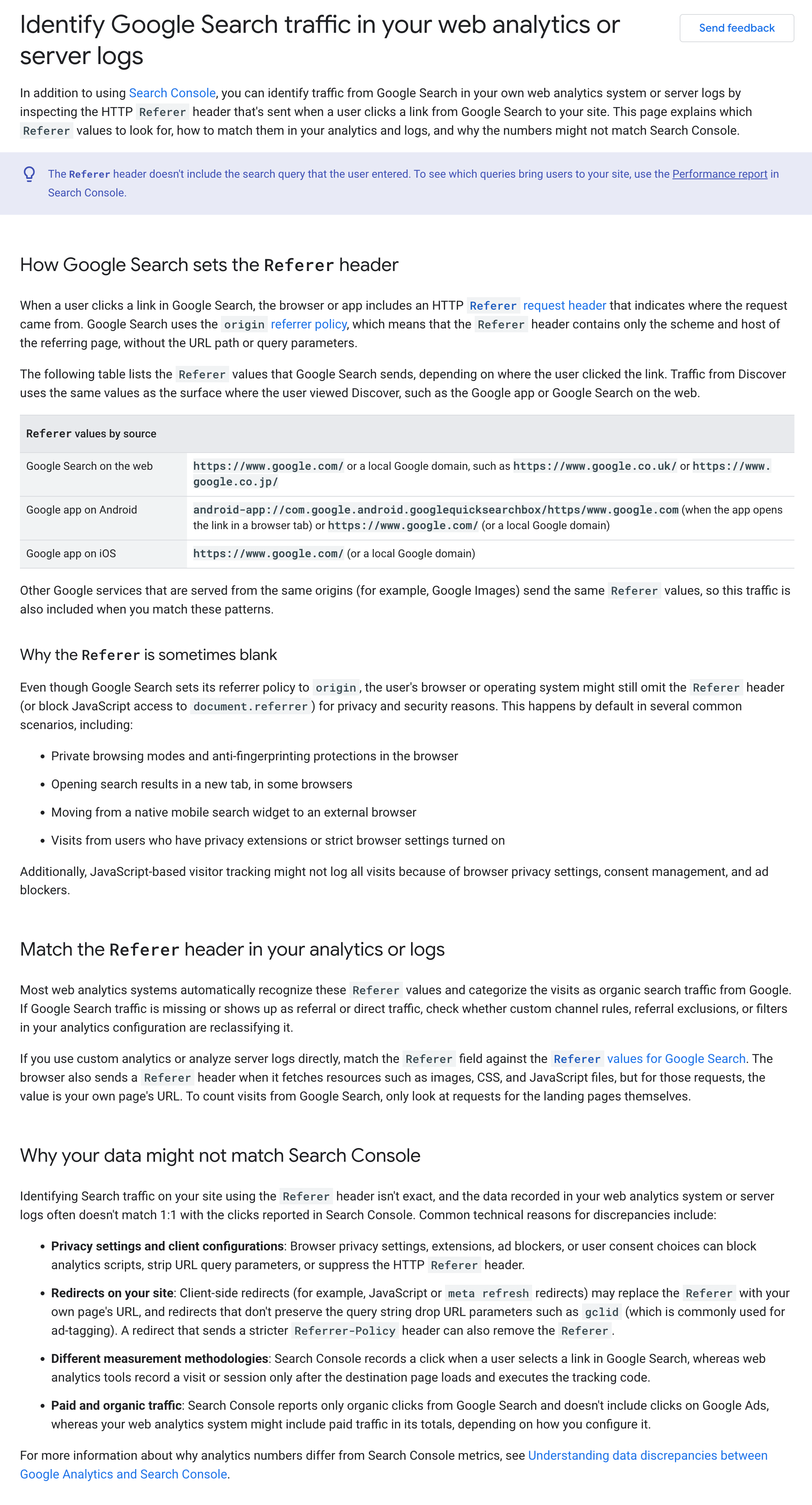
The page works as a practical reference. It explains which Referer values to look for, how to match them in analytics tools and in server logs, and why the resulting numbers might not line up with Search Console.
The publication date is slightly unclear. The page was last updated on Nov. 12, and the update log entry is also dated Nov. 12, but Google does not state when the page was first published. It is therefore not known whether Nov. 12 was the first appearance or a later revision.
For teams that report on organic performance across several sites, the page gives a single official description of what a Google referral looks like and where it can go missing. That makes it a useful baseline when a client asks why two reports disagree.
The Referer header carries only the origin of Google's pages
The Referer header is the HTTP request header that tells a site which page the visitor came from. Analytics tools and server logs both rely on it to attribute a visit to a source.
Google Search uses the origin referrer policy. This is a setting that sends only the scheme and host of the referring page, without the path or query parameters. As a result, the header shows that a visitor arrived from Google but never reveals the query typed into Search or the exact results page.
Values for Search on the web
Google Search on the web sends either https://www.google.com/ or one of a number of local Google domains, such as https://www.google.co.uk/. Any filter or log query that looks only for the first value will miss visitors arriving from local domains.
Referer values differ across the web, apps, Discover and Images
The same few origins show up in several Google products, which is why a Referer value alone does not identify the product.
Google app on iOS and Android
The Google app on iOS sends the same Referer values as Google Search in a web browser, so those visits look identical in logs.
The Android app behaves differently. It sends either the web Google domains or, if the app opens the link in a browser tab, android-app://com.google.android.googlequicksearchbox/https/www.google.com. Log filters that only expect http and https schemes need to allow for the android-app:// form.
Discover and Images
Discover is a Google feed surface where users view content. Its traffic carries the Referer values of the surface where it was viewed, such as the Google app or Google Search in a browser.
Other Google services served from the same origins, such as Google Images, send the same Referer values. Google says these are included when matching.
The practical consequence is stated directly on the page: a Google.com referrer shows that Google sent a visitor, but not whether the visit came from Search, Discover or Google Images.
Put side by side, the values named on the page look like this:
| Surface | Referer value |
|---|---|
| Google Search on the web | https://www.google.com/ or a local Google domain, such as https://www.google.co.uk/ |
| Google app on iOS | The same values as Google Search on the web |
| Google app on Android | The web Google domains, or android-app://com.google.android.googlequicksearchbox/https/www.google.com when the link opens in a browser tab |
| Discover | The values of the surface where it was viewed, such as the Google app or Google Search in a browser |
| Google Images and other services on the same origins | The same values as Google Search |
A log filter that covers every row, including the android-app:// form and the local domains, catches all of these visits. It still cannot tell the surfaces apart.

To separate Discover from Search, the page points to the Discover report in Search Console rather than to referrer data.
A 2021 change for Chrome
In February 2021, Google began sending Discover traffic for Chrome via the Google.com origin referrer instead of a googleapis.com referrer. The change aligned the Google Discover referrer in Chrome with Discover inside the Google app. Historical data from before that month may therefore classify Chrome Discover visits differently.
How analytics tools classify Google Search traffic and why it goes missing
Most web analytics systems automatically categorize these Referer values as organic traffic from Google Search.
When traffic lands in the wrong channel
If Google Search traffic appears as referral or direct, custom channel rules, referral exclusions or filters may be reclassifying it. Checking those settings is the first step when organic traffic from Google Search looks too low.
Count landing page requests only
Browsers also send a Referer header for images, CSS and JavaScript files. For those sub-resource requests, the value is the landing page's own URL. Only landing page requests should be counted when analyzing server logs, otherwise self-referrals inflate the data.
When the Referer is omitted
The header can be absent in several situations:
- private browsing modes and anti-fingerprinting protections;
- opening results in a new tab in some browsers;
- moving from a native mobile Google Search widget to an external browser;
- users with privacy extensions or strict settings.
Visits in these cases cannot be attributed to Google from the Referer header alone.
Redirect pitfalls
Redirects on the site can also break attribution. Three problems are named:
- Client-side redirects may replace the Referer with the site's own page URL.
- Redirects that do not preserve the query string drop parameters such as gclid, a URL parameter commonly used for ad tagging.
- A redirect that sends a stricter Referrer-Policy header can remove the Referer altogether.
Sites that run redirect chains, for example after a migration or through a link shortener, are the most exposed to these losses. The wider issue of tracking parameters getting lost is also visible in the case of UTM parameters in Gemini citations.
Why analytics numbers rarely match Search Console
The page lists three reasons that Search Console and analytics tools report different totals for the same period.
The first is the moment of counting. Search Console records a click when a user selects a link, whereas analytics tools record a visit only after the destination page loads and executes tracking code. A visitor who clicks and leaves before the page finishes loading is counted by one system and not the other.
The second is blocking. Ad blockers, consent choices and privacy settings can block analytics scripts, which causes visits to be missed in analytics even though the click happened.
The third is scope. Search Console reports only organic clicks, while web analytics totals may include Google Ads traffic, depending on configuration. Comparing the two without filtering for organic traffic overstates analytics.
Search Console itself shows Search performance reports including clicks, impressions and position for queries. That query-level view is something the Referer header cannot provide, given that it carries only the origin.
For agencies, the three causes are a ready explanation for client questions about gaps. A small difference does not by itself indicate a tracking error.
Where to look in Google Analytics and what the page leaves out
Google Analytics is a free web analytics tool that shows where traffic comes from by channel and source/medium.
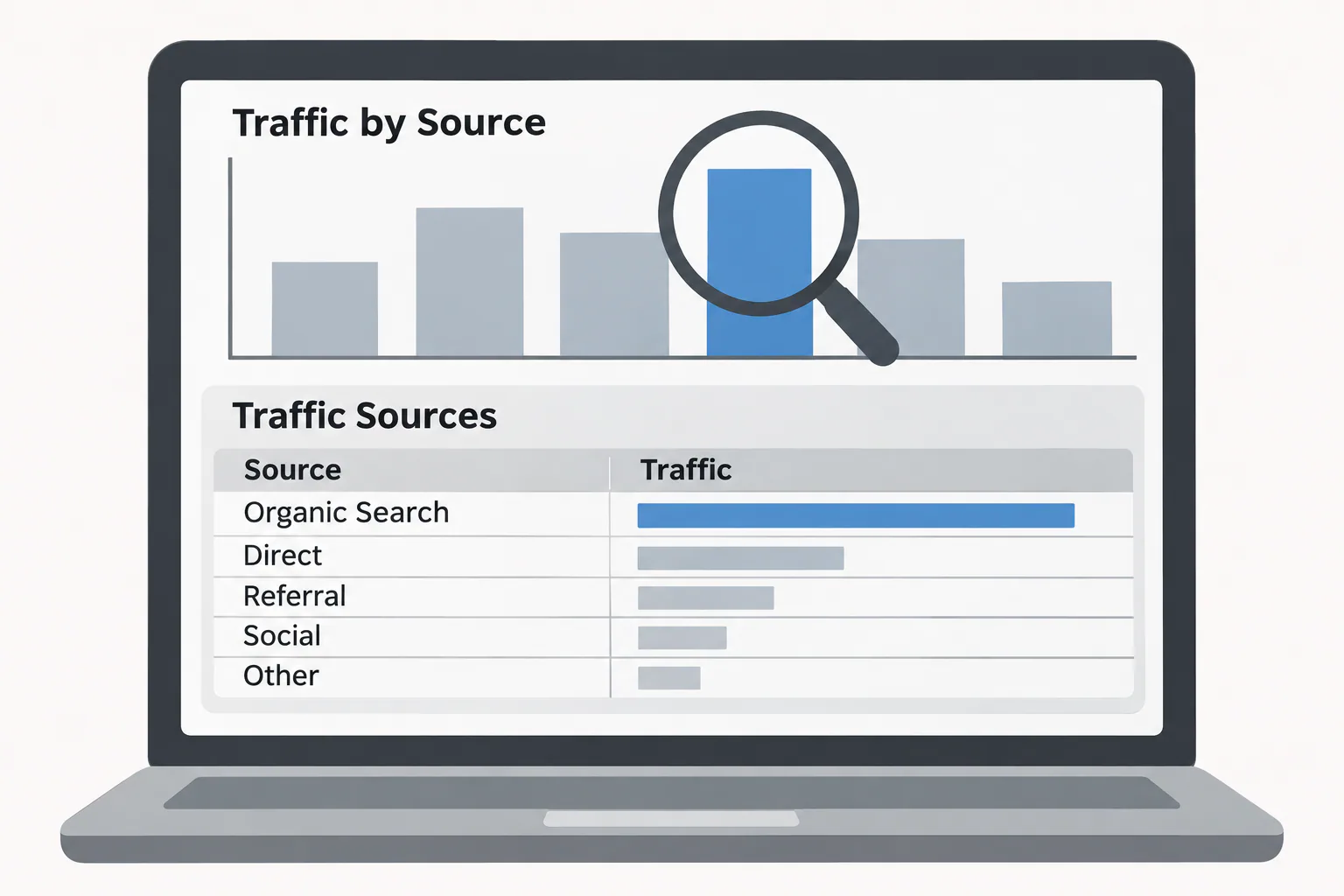
In GA4, the Traffic acquisition report shows traffic by session default channel grouping. It can be changed to session source/medium, which makes the google / organic source visible and easier to compare with other sources.
For the other side of the comparison, open the Performance report for Search results in Search Console. It lists organic clicks for each query and page, so set the same date range you use in GA4 and compare total clicks with the google / organic sessions. Some Search Console discrepancies will remain even then, for the counting, blocking and scope reasons covered above.
The new Google page does not cover AI Mode or AI Overviews. Anyone trying to attribute visits from those features will not find guidance in this document, and Google has not said in it how, or whether, those visits are labeled with distinct Referer values.
The page was last updated on Nov. 12, and any revision would appear in the Google documentation updates log, which is the place to watch for changes.
Context on click-through and a critic's question about relevance
The author at Search Engine Roundtable questioned why Google posted the page, given how little Google Search traffic sites get these days. The comment reflects a wider debate among site owners about declining referrals, a trend also visible in reports of organic Google referrals falling at large publishers.
Older data gives some background on how much Google Search activity never reaches a website. According to SparkToro's 2019 analysis of Jumpshot data, Google's US web search answered nearly half of all searches in Q1 2019 without a click. Paid results drew only a small share of clicks. A larger share, the same data showed, went to Alphabet-owned websites.
These figures are estimates from 2019 and predate the current Search features, so they describe the context rather than today's click distribution.
Sources
- Search Engine Journal
- Search Engine Roundtable
- Google for Developers
- ExactMetrics
- search.google.com
- Google Marketing Platform
- SparkToro
Photo: Search Engine Journal
Frequently asked questions
How do I view Google Search traffic?
How do I view Google Search traffic?
Search Console shows Search performance reports with clicks, impressions and position for queries. In analytics tools or server logs, Google's Referer values, such as https://www.google.com/ or local domains like https://www.google.co.uk/, identify visits from Google.
How to check traffic source in Google Analytics?
How to check traffic source in Google Analytics?
Google Analytics shows traffic by channel and source/medium. In GA4, the Traffic acquisition report groups traffic by session default channel grouping and can be switched to session source/medium.
Is Google Analytics free or paid?
Is Google Analytics free or paid?
Google Analytics is described as a free web analytics tool that shows where traffic comes from by channel and source/medium.
Why don't my analytics numbers match Search Console?
Why don't my analytics numbers match Search Console?
Search Console counts a click when a link is selected, while analytics counts a visit only after the page loads and tracking code runs. Ad blockers, consent choices and privacy settings can block scripts, and analytics totals may include Google Ads traffic, which Search Console excludes.
Can Discover or Images traffic be told apart from Search by referrer?
Can Discover or Images traffic be told apart from Search by referrer?
No. A google.com referrer shows that Google sent a visitor but not whether it came from Search, Discover or Images. The Discover report in Search Console can be used to separate Discover clicks from Search clicks.
Does the new page cover AI Mode or AI Overviews?
Does the new page cover AI Mode or AI Overviews?
No. The page was last updated on Nov. 12 and does not cover AI Mode or AI Overviews.