
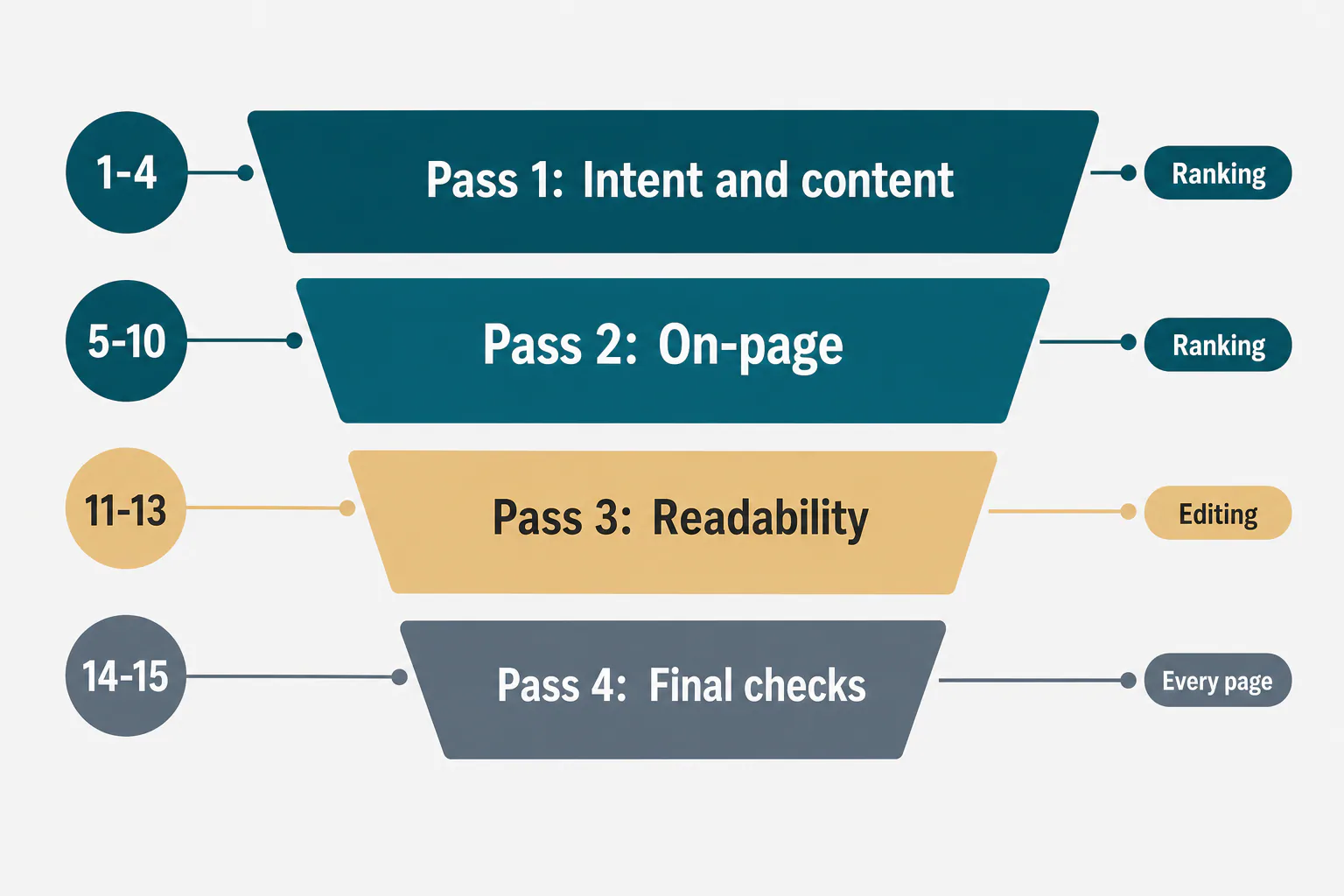
An SEO article editing checklist is a fixed list of checks you run on a finished draft before it goes live. The 15 checks below fall into four passes: intent and content, on-page elements, readability and copy, and final pre-publish checks.
Most lists mix proofreading with ranking work. Here they stay apart. Passes 1 and 2 decide whether the page can earn rankings; passes 3 and 4 decide whether it reads well and ships without errors.
What an SEO Article Editing Checklist Should Include
It should include four passes of checks, run in this order. The first pass holds the ones that can force a rewrite, and the last holds the ones that confirm what goes live:
- Intent and content (items 1-4): search intent, a fast answer, related subtopics, and examples and sources.
- On-page elements (items 5-10): title tag and meta description, headings, keyword placement, internal links, image alt text, and the slug and snippet blocks.
- Readability and copy (items 11-13): formatting, sentence clarity, and tone and style guide rules.
- Final checks (items 14-15): facts, links and dates, then the CMS preview.
SEO checks vs general editing
Items 1 to 10 are ranking checks. They change how well the page matches the query and how clearly it signals its topic. Items 11 to 13 are general editing you would run on any piece of writing, and items 14 and 15 protect every page.
The label matters when time is short. A clumsy sentence rarely moves rankings, but a draft written for the wrong intent can stay off page one. When an article underperforms in Google Analytics, you know which steps to revisit.
The four editing passes in order
Edit from big to small. Intent comes first because a mismatch can mean rewriting whole sections. Titles, headings and links follow the content, and copy editing waits until the structure is fixed. A good SEO article editing checklist ends with the pass that confirms the published version.
Pass 1: Intent and Content Checks (Items 1-4)
Pass 1 asks whether the draft deserves to rank at all. Run it before you touch a single comma. This pass goes faster when the draft followed a repeatable method for writing SEO articles from the start.
Check 1: Does the page match the search intent of the keyword?
Search the primary keyword and note what the top results are: guides, lists, product pages or tools. If they are step-by-step blog guides and your draft is an opinion piece, no later edit will fix that. Check the reader too, since a beginner's explainer built around buyer keywords serves neither group.
Check 2: Does the opening answer the query fast?
Read the first two sentences on their own. They should give the definition, the short answer, the range or the verdict. If they restate the topic or open with a rhetorical question, cut them and move the real answer up.
Check 3: Does it cover the related subtopics and entities readers expect?
List the subtopics the top pages share and the questions under People Also Ask, then mark which ones your draft covers. Good keyword research shows what search engines expect to see. A gap usually means a missing paragraph, not a missing phrase. Skip lists of "LSI keywords" and write the section a reader would expect. If the draft started from a content brief, compare it against the steps for writing an SEO article from a brief to catch skipped sections.
Check 4: Are examples, evidence and sources in place?
Every figure needs a source you can name, and every section needs one concrete element. Write everything in your own words, without copying other pages or sections on your site. If no one can say where a number came from, drop it.
Pass 2: On-Page SEO Checks (Items 5-10)
Pass 2 covers on-page optimization: the elements that tell readers and search engines what the page is about and how it connects to the rest of your site.
Check 5: Title tag and meta description
The title tag carries the primary keyword near the start and gives a concrete reason to click, in a length that shows in full. The meta description says what the reader gets. Google can rewrite both, but the best defense is an accurate pair.
Check 6: One H1 and a logical H2 and H3 structure
Use one H1 that names the topic. H2s mark the main sections, and H3s sit only inside them. Never skip a level or choose a heading for its font size. Read the headings alone: they should work as a table of contents for the whole article. If they fail that test, rebuild them from an SEO article outline built from the SERP before you edit further.
Check 7: Primary keyword placement, without keyword density targets
Place the primary keyword in the H1, the opening paragraph and one H2 where it honestly describes the section. After that, use it only where the text calls for it. Density targets are outdated and produce stuffed copy. Each secondary keyword needs one natural spot.
Check 8: Internal links with descriptive anchor text
Link to the pillar page and to closely related articles, and note which older posts should link back. Anchor text should say what's on the other end, such as "how to build a content brief", never "click here". Links help crawlers from search engines and readers go deeper.
Check 9: Image alt text and file names
Give every meaningful image alt text that describes what it shows, as you would describe it to someone who can't see it. Leave the alt text empty on purely decorative images. Rename files before upload: four-editing-passes.png tells everyone more than IMG_4021.png.
Check 10: URL slug and snippet-ready answer blocks
Keep the slug short, lowercase and hyphenated, with the topic words and no dates. /article-editing-checks/ ages better than /2026/10/our-new-list-for-editors/. Pick the question the page should win as a featured snippet and answer it under the matching heading in two or three sentences, a list or a table.
Pass 3: Readability and Copy Checks (Items 11-13)
Pass 3 is general editing. None of it is search engine optimization in the strict sense, but readers who leave at a wall of text never reach your answers.
Check 11: Short paragraphs, lists and scannable formatting
Keep paragraphs to one to four sentences. Use numbered lists for steps in order, bullets for parallel items, and tables when you compare three or more options. Scroll through at reading speed. If you can't find each heading's answer in a few seconds, the formatting isn't working.
Check 12: Clear sentences, passive voice and wordiness
Read the draft aloud. Swap wordy phrases for short ones: "in order to" becomes "to", and "due to the fact that" becomes "because". Make passive voice active where the actor matters, so "the settings should be changed" becomes "change the settings". Then check that steps keep one tense.
Check 13: Consistent tone and style guide rules
Hold the draft against your style guide. Check the address form, the spelling variant (American "organize", not "organise"), number formats, product names and banned phrases. Lines that could sit in any article on any topic are the clearest sign of an unedited draft.
Pass 4: Final Pre-Publish Checks (Items 14-15)
Pass 4 confirms what actually goes live, so run it on the version in your CMS, not on the document.
Check 14: Facts, links and dates verified
Click all the links and confirm each one opens the intended page without an unexpected redirect. Check each figure against its source again, and verify every date as well. "This year" written in March reads wrong in October.
Check 15: Preview, formatting and metadata in the CMS
Preview the page on desktop and on a phone. Look for tables that overflow, images that don't load and headings that broke during the paste. Then open the metadata fields. The title, description, slug, category, author and featured image should hold what you wrote, not whatever the CMS filled in automatically.
How to check an AI-written SEO article before publishing
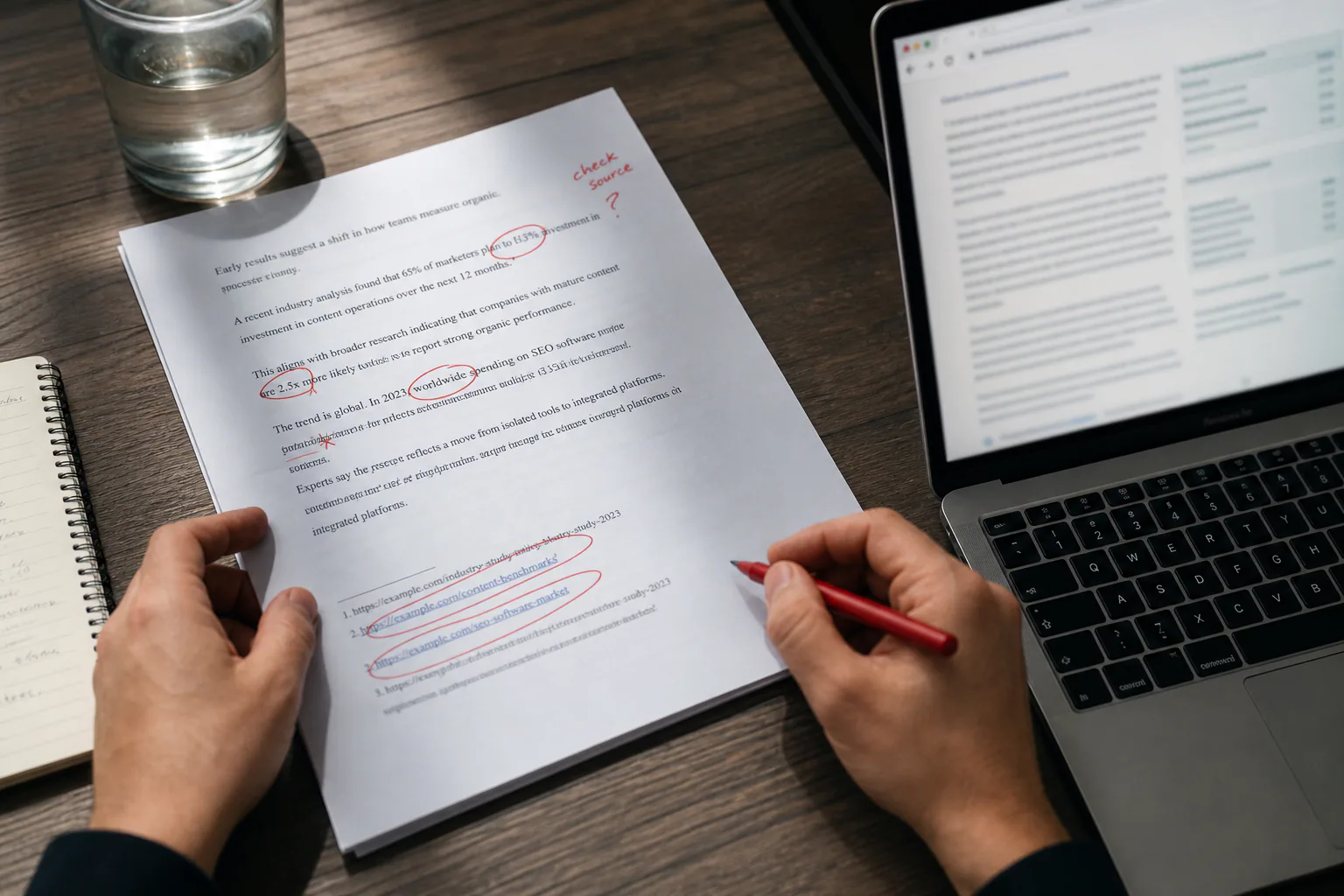
Run the same 15 checks, with extra weight in three places. First, treat every figure, date and quote as unverified until you find its source, and open the links the draft added. AI drafts state invented numbers as confidently as real ones.
Second, check the business facts: products, prices and claims must match what the company actually offers. Third, scan the voice for the same safe phrases repeated and advice that would fit any company. Rewrite those passages rather than polishing them.

A Copy-Ready SEO Article Editing Checklist Template
Here is the full list, with each check written as a test it either passes or fails. The Type column shows whether it affects ranking, is general editing, or applies to every page.
The checklist as a table you can paste into a doc or spreadsheet
Each row is one check, so you can filter by type or pass.
| # | Check | Type | Passes when |
|---|---|---|---|
| 1 | Search intent | Ranking | Format matches the top results |
| 2 | Fast answer | Ranking | First two sentences answer the query |
| 3 | Subtopics and entities | Ranking | Every expected subtopic has a section |
| 4 | Evidence | Ranking | Every figure has a named source |
| 5 | Title tag and meta description | Ranking | Keyword near the start, clear reason to click |
| 6 | Headings | Ranking | One H1; headings read as an outline |
| 7 | Keyword placement | Ranking | In the H1, the opening and one H2, never forced |
| 8 | Internal links | Ranking | Descriptive anchors; older posts link back |
| 9 | Alt text and file names | Ranking | Both describe the image |
| 10 | Slug and snippet block | Ranking | Short slug; direct answer under the target heading |
| 11 | Formatting | Editing | Short paragraphs, lists where useful |
| 12 | Sentences | Editing | No wordy phrases or needless passives |
| 13 | Tone and style | Editing | Matches the style guide |
| 14 | Facts, links, dates | Every page | All verified in the CMS version |
| 15 | CMS preview | Every page | Displays correctly on desktop and phone; metadata filled |
Adding an owner, a status and a revision date to each check
For a team blog, add three columns: Owner, Status (to do, done, not applicable) and Notes. Put a revision date and a one-line change note at the top, so nobody edits against an old version. Record when each pass was signed off.
Which Checks to Run on Which Page: A Decision Rule
Run all 15 checks on pages that target a head term or carry real business value, and run a reduced set everywhere else.
Head-term articles get the full list
A page aimed at a competitive, high-volume query faces the strongest competitors, and small gaps decide its rankings. Give intent, coverage and evidence the most time. Ask a second editor to run Pass 1 independently, because the writer is the person least likely to spot their own missing subtopic.
Supporting posts, product pages and landing pages
The other page types need fewer checks, but each needs a different set:
- A supporting blog post on long-tail keywords: passes 1, 2 and 4 in full, and Pass 3 as a quick scan.
- Product pages: items 1, 5-10, 14 and 15, with accurate specs, prices and availability in place of the evidence step.
- Landing pages: items 1, 2, 5, 11, 14 and 15, plus confirmation that the offer matches the ad or link that sends visitors there.
- Updates to an existing blog article: checks 2, 7, 14 and 15. Refresh the date only if the content really changed.
When a long checklist turns into box-ticking
A long list has costs. Editors start ticking boxes without reading, and checks that never fail keep eating time. If one hasn't caught a problem in months, merge it or drop it. A list that fits on one screen gets used.
A Worked Example: One Draft Edited With the Checklist
This example is illustrative rather than a real client case, but the edits are typical of what each pass catches.
The draft before the edit
The draft was a blog article targeting "best project management tools for small agencies". It opened with three paragraphs of history, carried the title "Project Management Tools Explained", had no table or internal links, and quoted an old price. Two outbound links returned errors.
What each pass changed
The four passes changed the draft in this order:
- Pass 1: The top results were shortlists with tables, so the draft became one. The opening now names the best pick for teams under ten people and the best pick for client-heavy work. A comparison table was added, and the history section was cut.
- Pass 2: The title became "7 Best Project Management Tools for Small Agencies". The meta description now names the selection criteria, new links point to two related guides, and the screenshots have descriptive alt text.
- Pass 3: Long paragraphs were split, and filler about "staying organized" was removed.
- Pass 4: The broken links were fixed, and the old price was replaced with a pointer to each vendor's pricing page. The mobile preview showed the table overflowing, so it was cut to four columns.
The finished draft was shorter than the original and answered the query more directly. Word count should follow the query too, so check how search intent sets article length rather than padding sections.
Keeping the Checklist Current and Shared With Your Team
Treat the list like any working document: keep one master copy, date every revision and review it on a schedule.
How often to update an editing checklist
Review it every quarter, and sooner when search results display differently or your CMS or style guide changes. Use Google Analytics to find articles that lose traffic and decide which checks to revisit. A step that never fails is a candidate for removal.

Assigning and tracking checks across a team or several sites
For multi-site content management, keep one master list and add a short override per site covering address form, spelling variant, banned phrases and disclaimers. The writer runs Pass 3, an editor runs Passes 1 and 2, and the publisher runs Pass 4. For client sites, add a client review first.
If that tracker sits in a spreadsheet next to separate research, writing and publishing tools, RankFlow puts the whole SEO content workflow in one workspace, from research to publishing and measurement. Its numbers are labelled as measured, calculated or estimated.
Frequently Asked Questions
Is there a free SEO content checklist PDF?
Is there a free SEO content checklist PDF?
The table in this guide is the full list, so you can make your own. Paste it into a doc and export it as a PDF, or paste it into a spreadsheet for an Excel version with owner and status columns. Before you share it, add your style guide rules and a revision date, because a list without a date is hard to trust six months later.
How do I create an editorial checklist for content?
How do I create an editorial checklist for content?
Start with two inputs: your style guide and the problems your last few edits kept catching. Write each item as a yes/no question, group the items into passes from intent down to final checks, and label the ones that affect ranking. Test the list on three or four drafts. Then cut items that never fail and add the fixes editors kept making by hand.
How do I check on-page SEO for a blog post?
How do I check on-page SEO for a blog post?
Run checks 5 to 10. Look at the title tag and meta description, a single H1 with clean heading levels, keyword placement, linking to and from related pages, alt text and file names, and the slug. Then preview the page and use your CMS's search preview to confirm that the title and description display as written.
How do I proofread an article for SEO and readability?
How do I proofread an article for SEO and readability?
Do it in two separate passes. The ranking pass checks intent, headings, keyword placement and links. The readability pass checks paragraph length, wordy phrases, passive voice, tense and style guide rules. If you combine them, you read for two different problems at once and miss some of both. Reading the text aloud is still the fastest way to catch clumsy sentences.
Should I run the full checklist on every article?
Should I run the full checklist on every article?
No. Give all 15 checks to pages that target a head term or carry business value. Supporting posts can take a lighter readability pass, and product and landing pages swap the evidence check for accurate specs and offers. Small updates need only checks 2, 7, 14 and 15. Whatever you skip, keep check 14, because a wrong fact or broken link does more damage than any other miss.