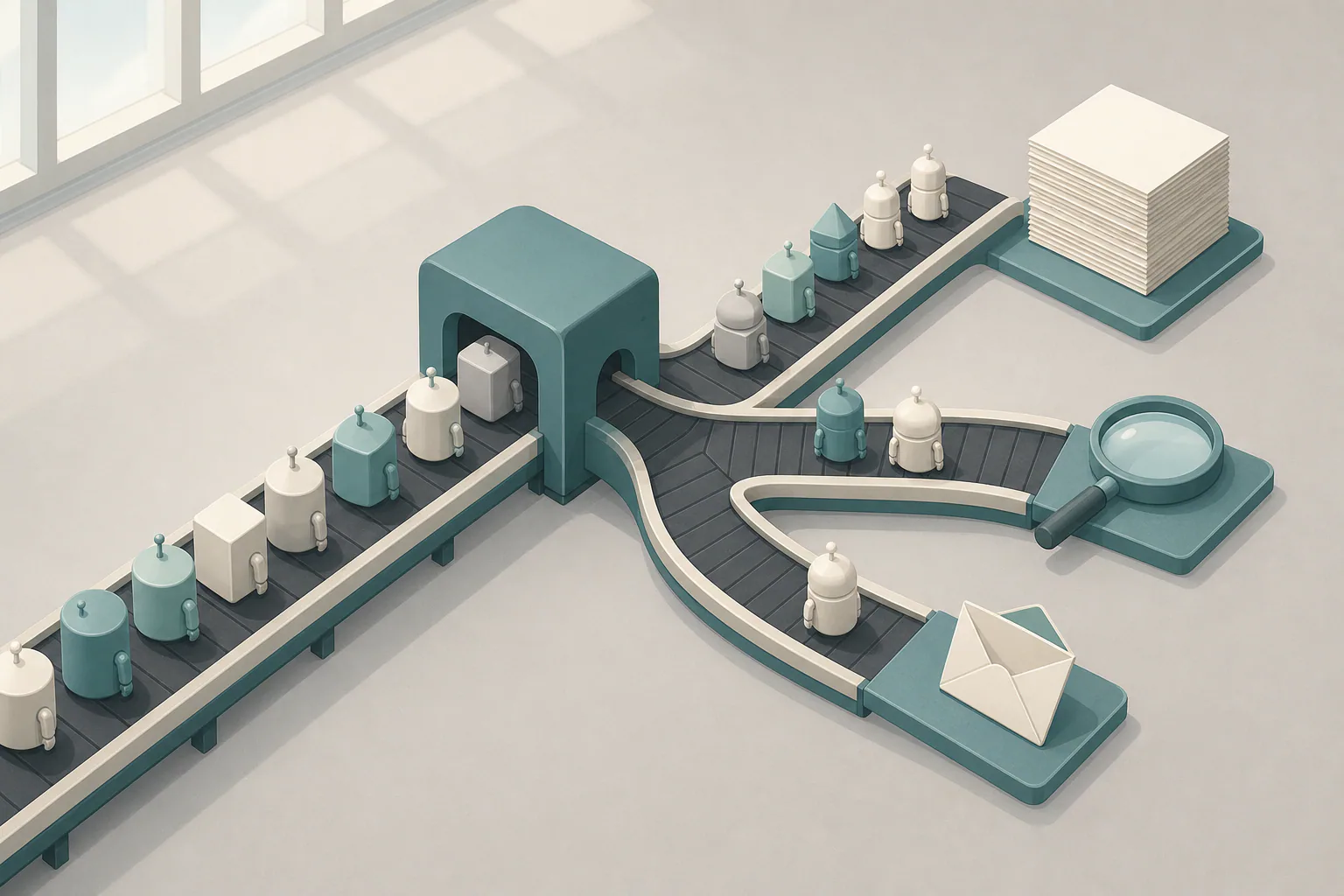
To block AI crawlers in robots.txt, add a User-agent line for each AI bot followed by Disallow: /, save the file as robots.txt in your site’s root, and leave Googlebot alone. That turns away well-behaved training crawlers such as GPTBot, ClaudeBot and CCBot without touching your rankings in Google Search.
The harder part is picking which bots to turn away. Some AI bots collect pages to train models, others index pages so an AI answer engine can cite you, and a third kind fetches a single page because a person asked for it. Each one is a separate decision with a different cost.
Training crawlers, AI search bots and on-request fetchers
Blocking GPTBot does nothing to ChatGPT-User, and the reverse is also true. Sort the bots into three groups before you write a single rule.
- Training crawlers gather pages for model training. GPTBot, ClaudeBot, CCBot (Common Crawl) and Meta-ExternalAgent are crawlers of this kind. Google-Extended and Applebot-Extended are control tokens, not separate crawlers, and they tell Google and Apple not to use your pages for their models.
- AI search bots index pages so an assistant can show and link to them in answers. OAI-SearchBot, Claude-SearchBot and PerplexityBot belong here.
- On-request fetchers load a page because a user pasted the link or asked about it. ChatGPT-User, Claude-User and Perplexity-User work this way, and some vendors state that robots.txt may not apply to these user-initiated visits in the same way.
Most content teams are best served by blocking the first group and allowing the other two. You keep your text out of future training sets and still get cited, with a link, when someone asks an AI assistant about your topic. Block all three only if the content itself is the product, such as paid research or a proprietary database.
AI crawler user-agent names and their jobs
The table lists the tokens you are most likely to need, what each one does and what blocking it changes.
| User-agent | Company | Purpose | Blocking it |
|---|---|---|---|
| GPTBot | OpenAI | Training | Opts out of OpenAI model training |
| OAI-SearchBot | OpenAI | AI search index | Removes you from ChatGPT search results |
| ChatGPT-User | OpenAI | On-request fetch | Stops page loads triggered by users |
| ClaudeBot | Anthropic | Training | Opts out of Anthropic training |
| anthropic-ai | Anthropic | Older training token | Kept for older crawlers, harmless to include |
| Claude-SearchBot | Anthropic | AI search index | Fewer citations in Claude answers |
| Claude-User | Anthropic | On-request fetch | Stops page loads triggered by users |
| cohere-ai | Cohere | Vendor-specific training token | Opts out of Cohere model training |
| Google-Extended | Training and Gemini grounding token | No effect on Google Search | |
| Applebot-Extended | Apple | Training token | No effect on Applebot search features |
| PerplexityBot | Perplexity | AI search index | Fewer citations in Perplexity |
| Amazonbot | Amazon | Crawling for Alexa and AI answers | Fewer answers drawn from your pages in Amazon’s assistants |
| Bytespider | ByteDance | Training | Opts out of ByteDance model training |
| CCBot | Common Crawl | Open web archive used for training | Keeps new pages out of future crawls |
| Meta-ExternalAgent | Meta | Training | Opts out of Meta model training |
Treat this list as a starting point, not a fixed reference. The table is a subset, and fuller lists also name bots such as Ai2Bot and Meta-ExternalFetcher. Vendors add bots and rename them, so a list copied a year ago can miss a crawler that hits your site daily. Check each name against the vendor’s own crawler documentation or the community-maintained ai.robots.txt project before you paste it, and put a reminder in your content plan to review the file every quarter.
Copy-ready rules for AI bots
The Robots Exclusion Protocol lets several User-agent lines share one set of rules, which keeps the file short. This version blocks training only and leaves search engines and AI answer engines free to crawl.
# Opt out of AI training
User-agent: GPTBot
User-agent: ClaudeBot
User-agent: anthropic-ai
User-agent: cohere-ai
User-agent: Bytespider
User-agent: CCBot
User-agent: Google-Extended
User-agent: Applebot-Extended
User-agent: Meta-ExternalAgent
Disallow: /

# All other crawlers, including Googlebot and Bingbot
User-agent: *
Disallow: /wp-admin/
Allow: /wp-admin/admin-ajax.php

Sitemap: https://example.com/sitemap.xml
To block AI bots in robots.txt across all three groups, add OAI-SearchBot, Claude-SearchBot, PerplexityBot, ChatGPT-User, Claude-User and Perplexity-User to the first group. Keep the blank line between groups and don’t put one between the User-agent lines inside a group, since parsers read a blank line as the end of a group.
How to block AI crawlers in robots.txt step by step
The whole job takes about ten minutes per site. Follow these steps in order.
- Open https://yoursite.com/robots.txt in a browser and copy what is there now, so you keep any existing rules.
- Edit the file. On WordPress, the default robots.txt is generated virtually, so use your SEO plugin’s file editor or upload a physical robots.txt to the root folder, which overrides the virtual one.
- Paste the AI group above the
User-agent: *group and keep your sitemap line. - Save it as plain text named robots.txt in lowercase, in the root of the host. A file in /blog/ is ignored, and every subdomain needs its own file.
- Purge your CDN or page cache, then reload the URL in a private window to confirm the new version is live.
Opting out of Gemini training while staying in Google Search
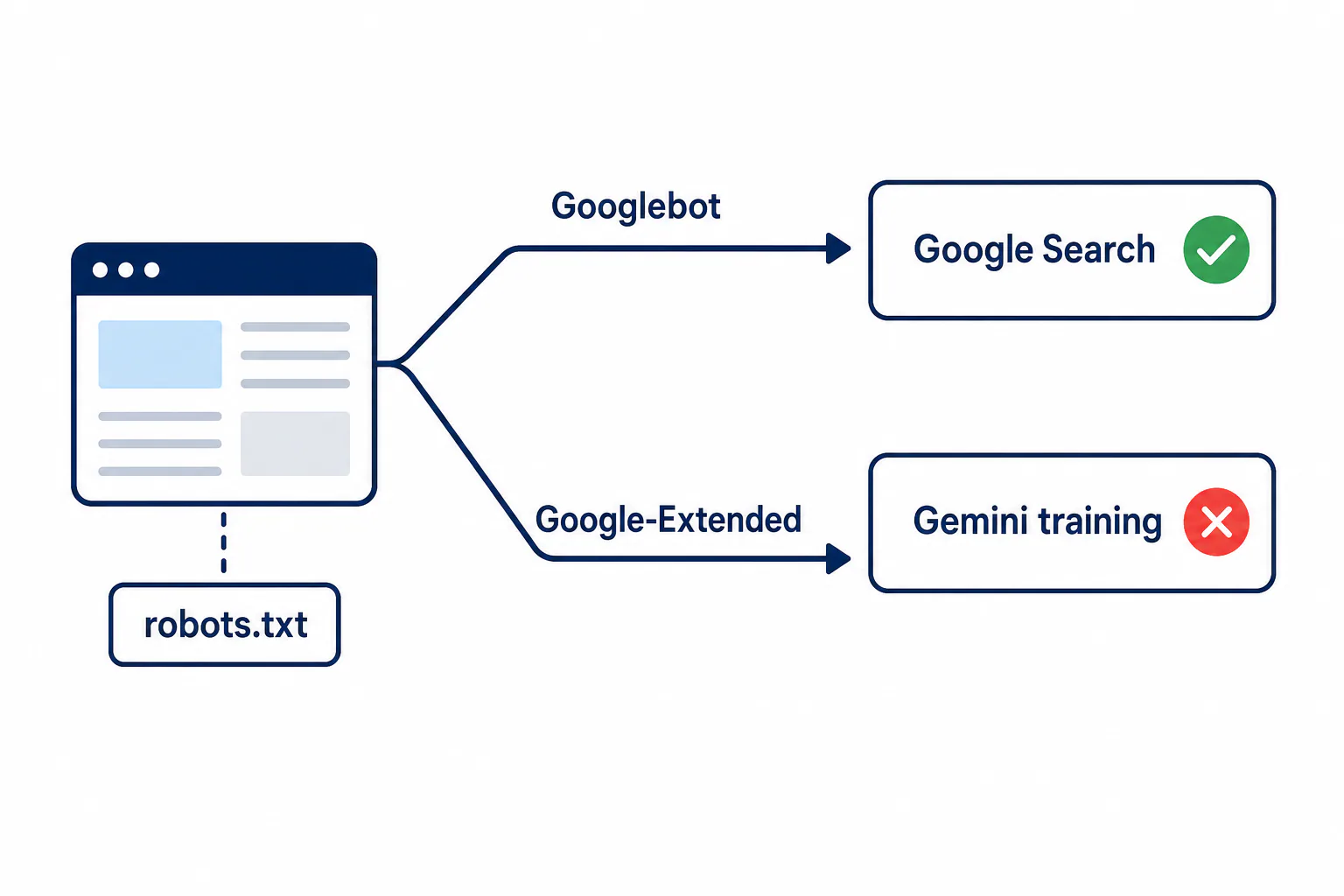
Google crawls with one bot and reads your preferences through tokens, so the split is cleaner than most site owners expect. Googlebot fetches your pages for Search. Google-Extended is a token that only decides whether Google may use those pages to train Gemini models and ground their answers.
A site that writes User-agent: Google-Extended with Disallow: / and has no rule for Googlebot stays indexed and ranked exactly as before. What it does not do is remove you from AI Overviews, because those are part of Search and draw on what Googlebot crawls. Opting out of them takes snippet controls such as nosnippet, which also shortens your regular search snippets. For most sites that trade costs more visibility than it protects.
Check that the rules work
A live file is not proof that bots obey it, so test in three layers.
First, open the robots.txt report in Search Console. It shows the version Google last fetched, when it fetched it and any lines it could not parse. Then confirm what your server returns to an AI user agent with curl -A "GPTBot" https://yoursite.com/robots.txt, which catches CDNs and security plugins that serve bots a different file.
Last, read your access logs a day or two later. Search for the bot name, for example grep -i "GPTBot" access.log. A compliant crawler should request /robots.txt and then stop asking for your pages. If page requests continue, compare the visiting IP addresses with the ranges the vendor publishes, because anyone can fake a user-agent string.
Mistakes that block too much, and what the file cannot do
Blocking AI crawler bots with robots.txt goes wrong most often in a few predictable ways.
- Writing
User-agent: *withDisallow: /to stop AI bots, which also removes you from Google and Bing. - Adding Googlebot to the AI group when the goal was only to opt out of training.
- Expecting the
*rules to apply to a named bot. A crawler follows only the most specific group that names it, so GPTBot ignores everything in the*group once it has its own. - Typos such as “GPT-Bot” or “Claude-Bot”, which match nothing.
Robots.txt is a request, not a lock. Reputable vendors honor it, while scrapers that hide their identity do not. For real enforcement, add a WAF or CDN rule. Cloudflare, for example, lets you block or challenge known AI bots by user agent and verified identity before they reach your server.
A robots.txt request is not enough when a bot keeps fetching pages after you’ve disallowed it, or when the content is paid and must stay closed. In that case, match the user agent at the edge. An edge function or server rule checks the User-agent header against your list, such as GPTBot, Bytespider or ClaudeBot, and returns 403 Forbidden instead of the page, while normal visitors and Googlebot pass through. Pair the rule with IP verification, because a scraper can drop the bot name and pose as a browser.
Start with the training-only block, test it in Search Console and your logs, and set a quarterly review so new bot names make it into the file. If you run several sites, a regular technical check helps you catch a stray disallow before it costs traffic. RankFlow Site Health runs about 115 checks per scan across security, privacy, SEO and indexing, performance, accessibility and DNS.
Frequently Asked Questions
Should I block AI crawlers at all?
Should I block AI crawlers at all?
It depends on what the content earns you. If your pages bring in leads through visibility, being cited in AI answers is worth more than the protection a training block adds, so block training bots and allow search and on-request bots. If the text itself is what you sell, block all three groups and enforce it at the CDN.
Does robots.txt remove content that was already used for training?
Does robots.txt remove content that was already used for training?
No. The file only affects future crawls. Pages collected before you added the rule may already sit in a training set or in a Common Crawl archive. Some vendors offer separate opt-out or removal requests, so check each company’s documentation if past use matters to you.
Can I block AI bots from only part of my site?
Can I block AI bots from only part of my site?
Yes. Replace Disallow: / with the paths you want to protect, such as Disallow: /research/ or Disallow: /members/, one path per line inside the AI group. Everything not listed stays open, which suits sites that want blog posts cited but paid reports kept out.
How long until the new rules take effect?
How long until the new rules take effect?
Most crawlers fetch robots.txt again before a new crawl and cache it for a short time. Google, for example, usually picks up a changed file within a day. Expect to see the change in your logs within one to two days, and purge your CDN cache so bots don’t get the old version.
Does a noindex tag stop AI training?
Does a noindex tag stop AI training?
Not reliably. A noindex meta tag tells search engines not to list a page, and the crawler still has to load the page to read it. It also removes the page from Google Search. To opt out of training while staying indexed, use the robots.txt tokens for training bots instead.